


Some links on this page are affiliate links: if you buy through them we may earn a commission, at no extra cost to you.
SD-card data recovery costs anywhere from $0 in license fees to a paid commercial license or a quote from a professional recovery laboratory. Free tools can recover deleted, formatted, or badly damaged file systems, but they may require command-line work, manual sorting, or accepting lost filenames. Paying makes sense when a preview confirms that irreplaceable files are visible, a free tool cannot export enough data, or saving time matters; it is not a cure for a card that is physically failing.
The safest cost comparison starts before you buy: stop using the card, do not accept a format or repair prompt, preview representative photos or videos where possible, and save recovered files to a different drive. The options below are listed alphabetically, not ranked. Prices and plan details are checked November 2026; where a stable US dollar price is not supported, it is left out rather than guessed.

As an Amazon Associate I earn from qualifying purchases.
At a glance
| Name | Best for | Key spec | Free plan / price | Checked |
|---|---|---|---|---|
| PhotoRec | Severe logical damage, reformatting, and file-system-independent recovery | Read-only, signature-based recovery; more than 480 file extensions; filenames and folders may be lost | $0; free open-source software | November 2026 |
| Professional recovery laboratory service | Cracked, hot, intermittently detected, or disconnecting cards | Physical recovery service rather than downloadable software | No free plan; quote-based service | November 2026 |
| R-STUDIO Data Recovery Software | People who want a trial or demo before selecting a paid professional license | Family of recovery software for Windows, Mac, Linux, and technician use | Trial or demo available; paid price depends on edition and license route | November 2026 |
| SanDisk Extreme microSDXC UHS-I Card | Replacing a card after recovery, not recovering old files | Replacement storage; buying a new card cannot restore data from the old one | No recovery plan or trial; marketplace price and stock vary | November 2026 |
| Windows File Recovery | Windows users comfortable with command-line recovery at no license cost | Regular and extensive modes; FAT and exFAT media require extensive mode in Microsoft’s table | $0; installed from the Microsoft Store | November 2026 |
The comparison includes three software paths, plus a professional service and a replacement-card example because physical failure and replacement cost are important parts of an SD-card recovery decision. A new card is not a recovery tool.
How much should you budget for SD-card recovery?
There is no reliable single market-wide average to use for SD-card recovery software. The defensible price floor is $0 for no-license-cost tools, while trial and demo editions let you inspect a card before committing to a paid license. Commercial software has an edition-specific price, and a laboratory charges for a recovery service rather than a software key.
Popular on Amazon

SANDISK 256GB Extreme microSD Card + Adapter, Up to 245MB/s Read Speeds | UHS-I, V30, 5K & 4K UHD, U3, C10, A2, Up to 170MB/s Write Speeds, Ideal for Action Cams+Drones, Android- SDSQXH9-256G-GZ6MA
- CAPTURE LARGER THAN LIFE. Unlock startling 5K[3] point-of-view and pristine high-res stills with video speed class ratings of U3 and V30[4].
- SPEED BARRIERS SHATTERED. Save precious moments with rapid read speeds up to 245MB/s[2] and write speeds up to 170MB/s[2] [256GB-1TB capacities[1]].
- MAXIMIZE WITH MASSIVE CAPACITY. Record longer and store more with up to 2TB[1] of storage.
- DURABILITY YOU CAN COUNT ON. SANDISK microSD cards are temperature proof, humidity proof, waterproof, shock proof, drop proof, magnet proof, X-ray proof and wear-out proof[7].
- EASY CONTENT MANAGEMENT. Easily back up, organize, and transfer your photos and videos with the SANDISK Memory Zone desktop or Android mobile app[10].
Think of the total cost in five parts:
- License fee: this may be zero, a one-time professional license, or a recurring subscription, depending on the product.
- Time: command-line operation, repeated scans, filtering, and sorting can make a free tool expensive in lost hours.
- Storage: recovered files must go somewhere other than the affected card, so a separate drive may be necessary.
- Hardware: a reliable card reader or adapter can matter when the problem is connection-related, although replacing a reader will not repair damaged flash memory.
- Data risk: an incorrect destination, formatting operation, or continued camera use can overwrite recoverable sectors. That mistake can cost more than the license.
Before paying, check the displayed currency, whether tax is added at checkout, whether the license is one-time or recurring, what upgrades are included, and whether personal or business use changes the terms. A low first-year price can become a renewal expense, while a one-time license can be poor value if the files are replaceable and a free tool is sufficient.
Is free SD-card recovery software genuinely free?
Yes, some options have no license fee, but “free” does not mean effortless or unlimited in every sense. Microsoft’s Windows File Recovery documentation describes a free command-line utility, while CGSecurity describes PhotoRec as free open-source software with read-only access. The trade-off is usually interface, control, file organization, or operator time rather than a checkout charge.
Windows File Recovery requires you to identify a source drive, choose a destination drive, select a recovery mode, and use switches correctly. The source and destination must be different. For FAT and exFAT media—including many SD cards—Microsoft’s mode table calls for /extensive, which is designed for more thorough searches than the regular mode.
PhotoRec takes a different approach. It ignores the file system and searches for recognizable file signatures, which can help after serious file-system damage or reformatting. It supports Secure Digital cards and recognizes more than 480 extensions, including common image and document formats. The cost is that carved files may lose their original names and folder structure, creating substantial sorting work afterward.
Free software is a sensible starting point when the card is stable, the files are replaceable or limited in quantity, and you can follow the instructions carefully. It is less attractive when a deadline is pressing, the recovery set is large, or the command-line and manual organization create too much opportunity for an avoidable mistake.
Can you preview SD-card files before paying?
Often, yes. A trial or demo can show whether the card, its partition, and expected file types are visible before you buy a license, but a scan listing is not proof that every file will open correctly.
R-Tools’ R-STUDIO page describes a family of recovery software for Windows, Mac, Linux, and technician use, with trial or demo routes intended to help assess recoverability before licensing. Use that stage to inspect representative JPEG, RAW, video, and document files where the software permits it. Do not check only one small thumbnail: a damaged file may appear in a listing yet fail when opened at full size.
Previewing is especially valuable for camera cards because the important question is not merely whether a filename appears. Check whether several files from different folders or shooting sessions open, whether large videos play through, and whether RAW files remain usable in the application that normally handles them. If the preview shows only fragments or generic file signatures, paying may buy easier export without changing the underlying physical damage.
Also popular on Amazon
Sale

SANDISK 512GB Extreme microSD Card + Adapter, Up to 190MB/s Read Speeds | UHS-I, V30, 5K & 4K UHD, U3, C10, A2, Up to 130MB/s Write Speeds, Ideal for Action Cams+Drones, Android- SDSQXAV-512G-GN6MA
- Compatible with Nintendo-Switch (NOT Nintendo-Switch 2)
- Save time with card offload speeds of up to 190MB/s powered by SanDisk QuickFlow Technology (Up to 190MB/s read speeds, engineered with proprietary technology to reach speeds beyond UHS-I 104MB/s, requires compatible devices capable of reaching such speeds. Based on internal testing; performance may be lower depending upon host device interface, usage conditions and other factors. 1MB=1,000,000 bytes. SanDisk QuickFlow Technology is only available for 64GB, 128GB, 256GB, 400GB, 512GB, and 1TB capacities. 1GB=1,000,000,000 bytes and 1TB=1,000,000,000,000 bytes. Actual user storage less.)
- Pair with the SanDisk Professional PRO-READER SD and microSD to achieve maximum speeds (sold separately)
- Up to 130MB/s write speeds for fast shooting (Based on internal testing; performance may be lower depending upon host device interface, usage conditions and other factors. 1MB=1,000,000 bytes.)
- 4K and 5K UHD-ready with UHS Speed Class 3 (U3) and Video Speed Class 30 (V30) (Compatible device required. Full HD (1920×1080), 4K UHD (3840 x 2160), and 5K UHD (5120 X 2880) support may vary based upon host device, file attributes and other factors. See HD page on SanDisk site. UHS Speed Class 3 (U3) designates a performance option designed to support real-time video recording with UHS-enabled host devices. Video Speed Class 30 (V30), sustained video capture rate of 30MB/s, designates a performance option designed to support real-time video recording with UHS-enabled host devices. See the SD Association’s official website.)
What should you do before running recovery software?
Protect the original card first. Recovery software can only work with data that has not been overwritten, and every new photograph, copy operation, format, or repair attempt can change the evidence.
- Stop using the card. Remove it from the camera or device. Do not take more photos, copy files to it, format it, or accept an operating-system repair prompt.
- Assess the symptoms. A card that is merely empty or reports a damaged file system is a logical-recovery candidate. A card that is cracked, unusually hot, intermittently detected, repeatedly disconnecting, or visible only for a few seconds points toward physical failure.
- Use a dependable reader. Identify the source by its capacity and model. Do not rely on drive letters alone if multiple removable drives are attached.
- Image or clone when possible. If the card is intermittently readable, create a byte-for-byte image or clone and work from that copy. The goal is to reduce repeated stress on a failing original.
- Start with a scan or demo. Preview representative files before deciding whether the license fee is justified.
- Choose a different destination. Recovered files must be written to another drive, never back to the affected SD card.
- Validate the result. Open samples, play recovered videos, check important documents, and make a second backup before reusing or reformatting the card.
How do the named recovery options compare?
The following sections explain what each option does, what its no-cost route includes, and which situation justifies moving to a paid alternative or service. The list is alphabetical, not a ranking.
1. PhotoRec: who it is for
PhotoRec suits readers who need a no-license-cost option for a card with severe logical damage, a lost file system, or a format operation that removed directory information. It uses read-only access and file carving rather than depending on the original folder structure. That makes it useful when ordinary directory-based recovery cannot make sense of the card.
Its free allowance is the software itself: CGSecurity identifies it as free open-source software. There is no paid tier required to unlock an export quota in the way a freemium application might impose one. The practical limit is workflow complexity. Because PhotoRec can ignore the file system, it may recover file contents without preserving original filenames and folders, leaving you to sort the output manually.
The documentation associates PhotoRec with Secure Digital cards and more than 480 recognized file extensions. That breadth can help with photographs, documents, and other media, but recognition does not guarantee a healthy result. Overwritten sectors, fragmented video, damaged flash cells, or a failing controller can still produce incomplete or unopenable files.
Choose this route when the card is stable, the data is logically damaged, and you can tolerate organization work. Do not treat it as an answer to heat, repeated disconnections, or a physically cracked card; those symptoms justify stopping software attempts and considering a professional laboratory.
2. Professional recovery laboratory service: who it is for
A professional laboratory is for a card whose hardware appears to be failing or whose contents are too important to risk with repeated software scans. Warning signs include a cracked shell, unusual heat, intermittent detection, repeated disconnections, or a card that disappears while being read. A laboratory is also the more defensible cost when the card contains the only copy of irreplaceable work.
There is no free plan or software trial for a laboratory service. The cost is quote-based and depends on the service required, so it should be compared with the value of the data rather than with a download license alone. Ask what happens if the card cannot be recovered, whether an evaluation fee applies, what output media is supplied, and how recovered files are delivered; confirm those terms before authorizing work.
Also popular on Amazon
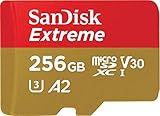
SanDisk 256GB Extreme microSD UHS I Card for 4K Video on Smartphones, Action Cams & Drones 190MB/s Read, 130MB/s Write SDSQXAV 256G GN6MN, Red/Gold
- With SanDisk QuickFlow Technology10 (64GB – 1TB), this card optimizes performance for timesaving media offloads with quick read speeds up to 190MB/s.9 Pair with the SanDisk Professional PRO-READER SD and microSD to achieve maximum speeds (sold separately).
- Capture fast-action photos or shoot 4K UHD video2 with write speeds of up to 130MB/s.9The SanDisk Extreme microSDXC UHS-I Card lets you shoot more and faster.
- Ideal for recording outdoor adventures, weekend trips, or sporting events without skipping frames. With up to 1TB1, the SanDisk Extreme microSD UHS-I card lets you capture uninterrupted 4K UHD and Full HD video with its UHS Speed Class 3 (U3) and Video Speed Class 30 (V30) ratings.5
- Get faster app performance for an outstanding smartphone experience thanks to the SanDisk Extreme microSD card’s A27Specification.
- SanDisk Extreme microSDHC and microSDXC UHS-I Cards are shockproof, temperature-proof, waterproof, and X-ray-proof,4 so you can enjoy your adventures without worrying about the durability of your memory card.
Software licensing cannot repair failed flash memory, a damaged controller, or an unstable electrical connection. Repeated attempts can also reduce the chance of a clean image if the card is deteriorating. If the card is still readable, a byte-for-byte image made as early as possible may preserve a safer working copy, but intermittent hardware symptoms should not be treated as a routine free-software problem.
Use a laboratory when the consequence of losing the files is high, the card’s behavior is physically abnormal, or software cannot keep the media connected long enough to complete an image. A replacement card is not a substitute for this step when the old files are the objective.
3. R-STUDIO Data Recovery Software: who it is for
R-STUDIO suits users who want to inspect a card with a trial or demo before choosing a paid professional license. R-Tools presents it as a family of recovery software for Windows, Mac, Linux, and technician use. That makes it relevant to households and technical users who need a more guided path than a command prompt, while still wanting to assess the card before paying.
The free route is the trial or demo. Its useful purpose is diagnosis: determine whether the card, partition, and expected file types are visible, then preview representative files where supported. A trial cannot guarantee that every listed file will open, that a physically failing card will remain readable, or that a successful scan will produce an intact video or RAW image.
A paid professional license is the upgrade path when the preview confirms the needed data but the no-cost route is too cumbersome or cannot export the required set. The current price depends on the edition and licensing route; the vendor page should be checked for the exact US amount, currency, renewal terms, and supported use before purchase. A numeric price is not stated here because a stable figure for every edition is not available.
R-STUDIO is a reasonable fit when interface guidance, filtering, previewing, or professional workflows are worth paying for. It is not a reason to continue using a card that is hot, disconnecting, or physically damaged, and it does not turn a scan result into a guarantee of file integrity.
4. SanDisk Extreme microSDXC UHS-I Card: who it is for
The SanDisk Extreme microSDXC UHS-I Card belongs in the replacement and prevention category, not the recovery-software category. It may be relevant after the recovery is complete if the original card is unreliable, but buying new storage does not restore deleted or corrupted files from the old card.
There is no recovery trial, free plan, or recovery export allowance for a replacement card. Its marketplace price and stock must be checked at the time of purchase, and the card should not be used as the destination for recovered files unless it is a separate, verified storage device and the recovery workflow explicitly treats it as such. The affected card remains the source; the new card is only future storage.
Also popular on Amazon

SANDISK 512GB Extreme microSD Card + Adapter, Up to 245MB/s Read Speeds | UHS-I, V30, 5K & 4K UHD, U3, C10, A2, Up to 170MB/s Write Speeds, Ideal for Action Cams+Drones, Android- SDSQXH9-512G-GZ6MA
- CAPTURE LARGER THAN LIFE. Unlock startling 5K[3] point-of-view and pristine high-res stills with video speed class ratings of U3 and V30[4].
- SPEED BARRIERS SHATTERED. Save precious moments with rapid read speeds up to 245MB/s[2] and write speeds up to 170MB/s[2] [256GB-1TB capacities[1]].
- MAXIMIZE WITH MASSIVE CAPACITY. Record longer and store more with up to 2TB[1] of storage.
- DURABILITY YOU CAN COUNT ON. SANDISK microSD cards are temperature proof, humidity proof, waterproof, shock proof, drop proof, magnet proof, X-ray proof and wear-out proof[7].
- EASY CONTENT MANAGEMENT. Easily back up, organize, and transfer your photos and videos with the SANDISK Memory Zone desktop or Android mobile app[10].
Consider replacement after validating recovered files and making a second backup. Reusing a card that has already shown unexplained errors can create another recovery event, but replacement alone does not solve the immediate problem. The original card should be preserved until the important files have been opened and backed up in more than one location.
5. Windows File Recovery: who it is for
Windows File Recovery suits Windows users who want a $0 license-cost option and are comfortable working in a command prompt. Microsoft installs it through the Microsoft Store and documents a syntax built around a source drive, a destination drive, a recovery mode, and switches.
Its free allowance is unrestricted by a paid export tier because the utility has no license fee. The trade-off is that it is not a guided graphical workflow. You must identify the correct source, select a separate destination, choose the appropriate mode, and interpret the output. Selecting the wrong drive or writing recovered data to the affected card can make the situation worse.
Microsoft’s mode table distinguishes regular and extensive modes. FAT and exFAT media, which include many SD cards, require extensive mode in that table. A generic command structure is:
winfr source-drive: destination-drive: /extensiveUse the exact syntax and switches in Microsoft’s current documentation for the file types and recovery situation. The command is only a starting point: it does not make a failing card reliable, and it cannot recover sectors that have already been overwritten.
Choose this option when the card is stable, the user can work carefully in the command line, and avoiding a license fee matters more than convenience. Move to a trial-based graphical tool or a professional service when the interface, preview, file organization, or physical condition makes self-recovery too risky.
When is paid recovery software worth the cost?
Paying is sensible when a free scan or demo previews the files you need, but the free route cannot export enough data or would require more time than the data is worth. It is also reasonable when command-line work creates a meaningful risk of choosing the wrong source or destination, or when a deadline makes filtering and organized export valuable.
Paying is less compelling when the card is stable, the files are replaceable, the recovery set is small, and PhotoRec or Windows File Recovery can be used safely. It is also the wrong response to physical symptoms. A paid application may simplify scanning, previewing, filtering, and exporting, but it cannot override overwritten sectors, fragmented video, damaged controllers, or failing flash cells.
Use this decision rule:
- Choose $0 software first when the card is stable and you can manage the workflow without writing to the source.
- Use a trial or demo first when you need proof that the expected files are visible before paying.
- Buy a license when previews are convincing and the time, export capacity, or interface is worth the fee.
- Use a laboratory when the card is physically failing or the data is too important for repeated home attempts.
- Buy replacement storage only afterward and keep it separate from the recovery destination until the original data is validated.
What costs do people miss when comparing recovery software?
The checkout price is only one part of the decision. A free tool can require hours of filename sorting, while a paid tool can involve recurring renewal, edition restrictions, taxes, or a personal-versus-business licensing distinction. A trial can also show thousands of scan results without proving that the files are complete.
Storage is another overlooked cost. Recovery output may be as large as the card’s contents, and the destination must be separate from the source. If the card is unstable, creating an image or clone may require additional storage before any file export begins.
Finally, consider the cost of a failed attempt. Formatting, accepting a repair prompt, taking more photos, or saving recovered files back to the card can overwrite data. When the files are irreplaceable, the least expensive license is not automatically the lowest-risk choice.
How we picked these recovery paths
The comparison uses the price model and capabilities documented for each named option: no-license-cost recovery, trial or demo access, paid professional licensing, or laboratory service. It also considers whether the workflow supports previewing, what happens to filenames and folders, how it handles deleted or formatted media, whether it is suited to logical damage or physical failure, and what safeguards apply to the source and destination.
Those criteria explain why a $0 command-line utility, a signature-based file carver, a trial-based professional application, a laboratory, and replacement storage appear together. They solve different parts of the reader’s problem and should not be treated as interchangeable software products.
What is the safest cost-saving strategy?
Start with prevention of further damage, not with a purchase. Stop writing to the card, identify it carefully, create an image when the media is unstable, preview files before paying, and recover to another drive. If the card is physically failing or contains the only copy of irreplaceable work, the cost of professional help may be justified before a free scan risks making the situation worse.
Frequently Asked Questions
Can I recover photos from an SD card that suddenly appears empty?
Possibly. An empty folder or missing directory can indicate logical damage rather than immediate loss of every file, so stop using the card and do not accept a format prompt. A read-only scan or image can establish whether the card still exposes recoverable data without adding new writes.
Should I choose a lifetime license or a subscription for one recovery job?
For a single incident, compare the total amount charged before renewal with the value of the files and the time saved. A one-time license avoids future renewal for that product, while a subscription may be reasonable only when its access period and included features match the recovery job; confirm upgrade and renewal terms at checkout.
Can recovery software repair a cracked or overheating SD card?
No. Software can interpret readable sectors, but it does not repair failed flash memory, a damaged controller, or an unstable electrical connection. A card that is hot, intermittently detected, or repeatedly disconnecting is a case for preserving the original and considering a professional laboratory.
Why do recovered photos sometimes have generic filenames?
Signature-based recovery can rebuild file contents without the original directory metadata. When that happens, the files may be usable but need manual sorting by type, date metadata, size, or visual review, and some camera-specific folder organization may not return.
Is it safe to scan the same SD card more than once?
A read-only scan is less risky than writing to the card, but repeated attempts are not harmless when the hardware is unstable. If the card disconnects or becomes hot, stop experimenting and make an image or seek professional help rather than repeatedly reconnecting the original.
Product prices and availability are accurate as of the date/time indicated and are subject to change. Any price and availability information displayed on Amazon at the time of purchase will apply. Prices as of November 18, 2026 10:19 am GMT+0530.