

Losing hours of progress in a game is one of the most frustrating experiences for any player. Unfortunately, some GTA 6 players have reported losing saved progress after completing multiple missions, forcing them to replay sections of the story and watch cutscenes all over again.
Although Grand Theft Auto 6 includes an autosave feature, reports suggest that it may stop working correctly at certain points. To reduce the risk of losing progress, it is a good idea to create manual saves regularly rather than relying entirely on autosaves.
I will explain how to manually save your game in GTA 6, how autosaves work, and what to keep in mind when replaying missions.
How to Manually Save Your Game Progress in GTA 6

Saving your progress manually in GTA 6 is straightforward. Follow these steps:
- Pause the game by pressing the Options button on PlayStation or the Menu button on Xbox.
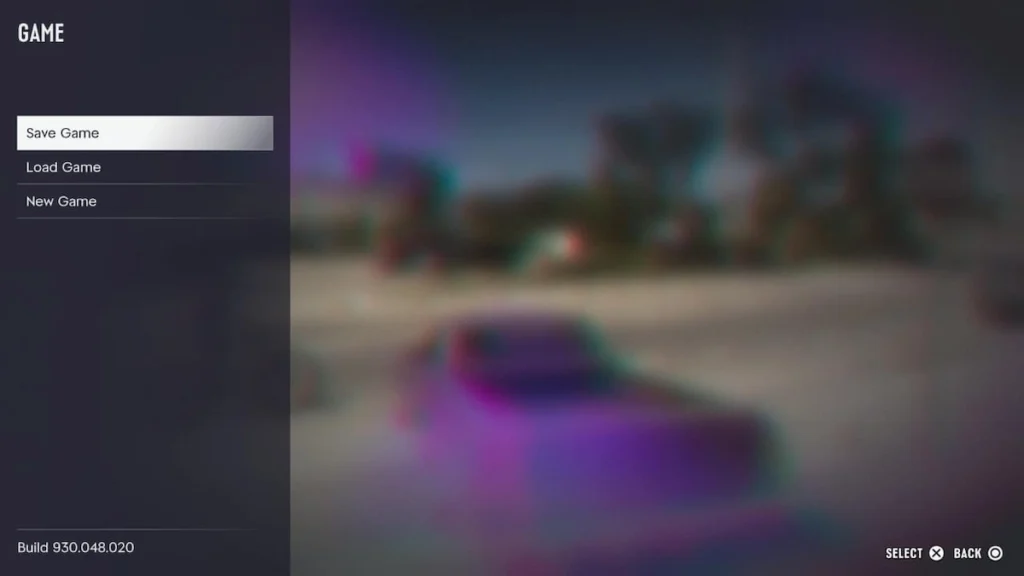
- Select the Game icon from the pause menu. It appears directly below the Map option.
- Choose Save Game.
- Select an available save slot to store your progress.
That’s all you need to do. Your progress will be saved to the selected manual save slot.
GTA 6 also saves automatically after certain major events, such as completing important mission milestones, reaching key story moments, or making significant purchases. However, autosaves and manual saves are handled separately.
A manual save will not directly replace your autosave file, and an autosave will not overwrite your manual save slots.
Important tip: Loading an older manual save and then progressing through the game can overwrite the current autosave file. Keep this in mind before loading an earlier point in your playthrough.
Why Is the Save Game Option Grayed Out?
If the Save Game option is grayed out, you are most likely in a section where the game does not allow manual saving.
This commonly happens while you are in the middle of a mission or during certain scripted sequences. To make a manual save, finish the mission or leave the activity if the game allows it. Once you return to the open world without an active mission restricting saves, the option should become available again.
Also, keep in mind that autosaving does not happen after every mission. It is tied to specific missions, events, and milestones. If you want to check when your game was last saved, open the Load Game menu and review the available save files.
When Does Manual Saving Unlock in GTA 6?
You cannot manually save during the opening section of the prologue. You must progress through the introductory sequence before the manual save system becomes available.
According to the current progression described in the game, manual saving unlocks after you arrive at Jason’s house following Brian’s first job.
Once unlocked, the game provides 15 save slots in total. One is reserved for autosave, while the remaining slots can be used for manual saves.
Always Make a Manual Save Before Replaying a Mission

Want to replay an earlier mission in GTA 6? Make a manual backup before doing so.
Loading an older save and replaying missions can replace the current autosave file as you progress. If you do not have a separate backup, you could lose access to your more recent progress.
Here is the safest approach:
- Open the Game menu and select Save Game.
- Create a manual save in an available slot.
- Load the older save containing the mission you want to replay.
- Replay the mission as desired.
- Load your newer manual save when you want to return to your main playthrough.
This way, even if replaying the mission changes your autosave, you will still have a separate save containing your latest progress.
Is GTA 6 Autosave Reliable?
GTA 6’s autosave feature is designed to preserve progress after certain missions, story events, and important activities. However, some players have reported problems with autosaves not updating as expected.
For that reason, relying on autosave alone is risky. Make a habit of creating manual saves after completing major missions, reaching important story milestones, or making significant progress during a long play session.
Most importantly, always save manually before turning off the game. A quick manual save can spare you from having to repeat missions and lose hours of progress.
Until the reported autosave issues are fully resolved, regular manual saves are the safest way to protect your GTA 6 playthrough.